
Hospital management software from the front desk
to the final bill
MedChaaya runs OPD, wards, billing, pharmacy, lab and radiology on a single patient record. Doctors consult in person or by video, and patients keep their records and ABHA in one app.
Doctor or patient? Create your account
- ABDM integrated
- ABHA sign-in and enrolment
- FHIR R4 record exchange
- Hosted on Microsoft Azure
- Privacy policy aligned to the DPDP Act, 2023
Everything a hospital needs, on one patient record
MedChaaya is a cloud hospital management system. Every department, doctor and patient works from the same record, so nothing is typed twice.
For hospitals
Hospital management system
Registration, OPD, IPD, billing, pharmacy, purchasing, lab, radiology and compliance, switched on module by module.
Explore the HMS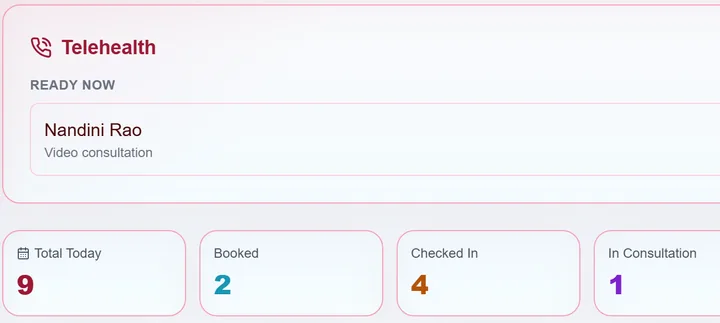
For doctors
Doctor workspace
A live queue, consultation notes, prescriptions and orders, and your own clinic if you practise independently.
See the workspace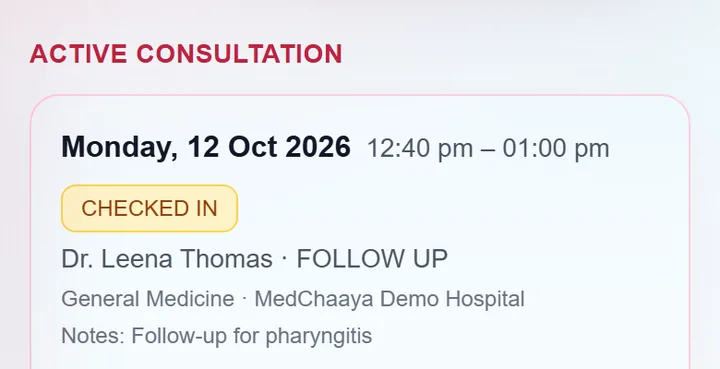
For patients
Patient app and records
Book visits, check in from your phone, and keep prescriptions, reports and bills in one place.
See the patient app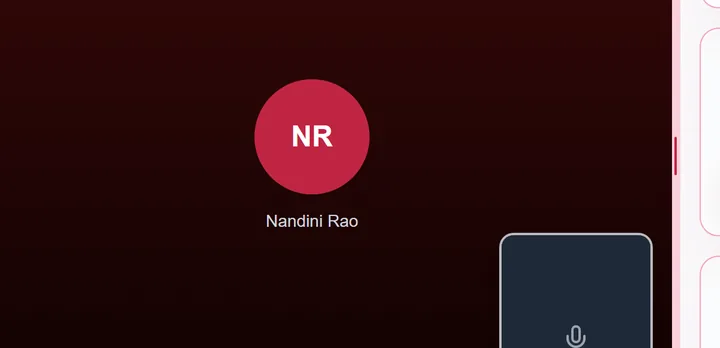
Connected care
Tele-consultation and ABHA
Video visits with the chart beside the call, and records shared through ABDM when the patient consents.
How video visits work
- 13
- modules, switched on per hospital
- 6
- role-based portals in one app
- 1
- patient record across every department
- Outpatient (OPD)
- Inpatient (IPD)
- Immunization
- Tele-consultation
- Laboratory
- Radiology
- Billing
- Pharmacy
- Supplier and purchasing
- Administration
- Compliance and governance
- ABHA and ABDM
- AI assistance (optional)
Built for the way Indian hospitals actually work
Explore the workflows to see the screen each team uses.
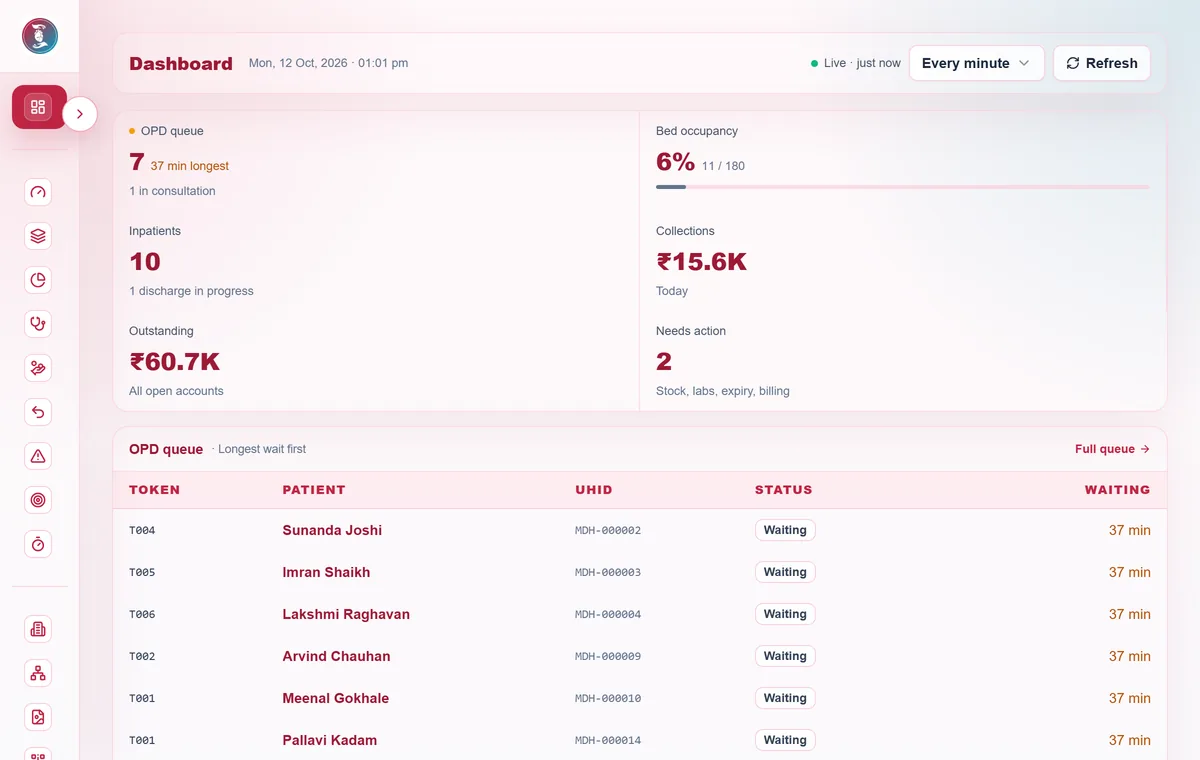
Showing OPD and queue
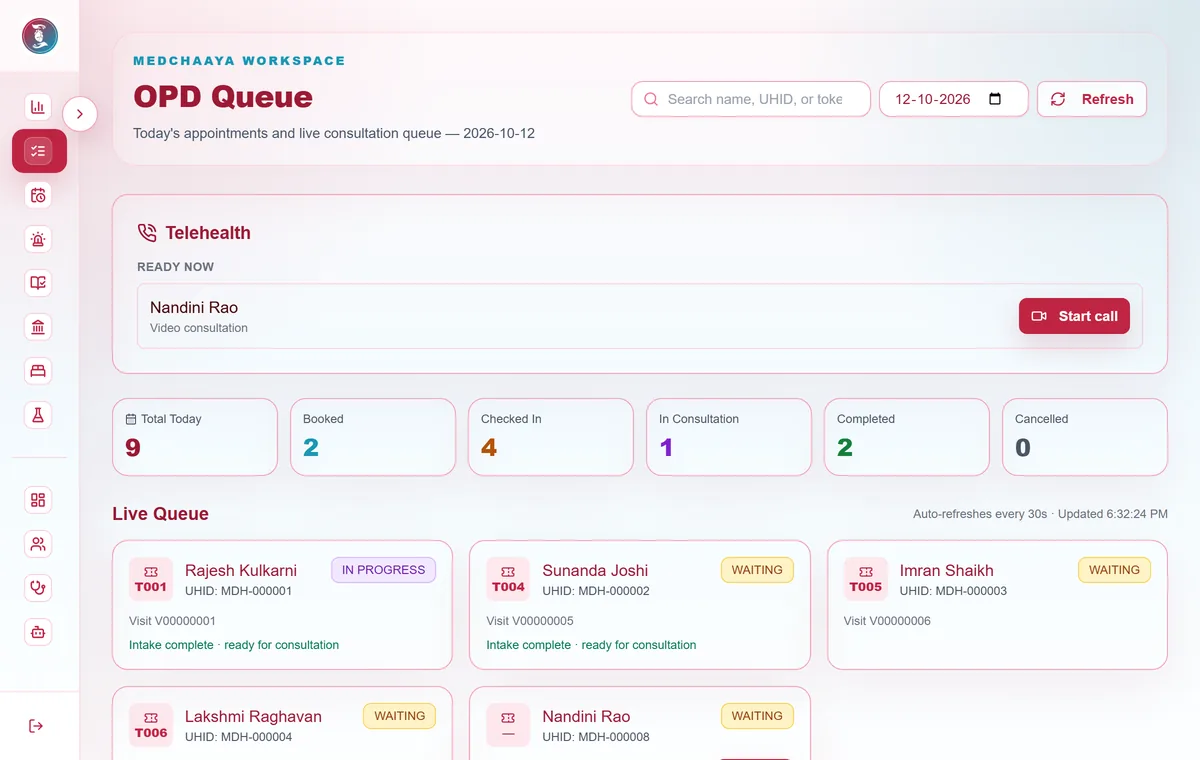
- Outpatient
A live queue where every patient arrives ready for the doctor
- Appointments and walk-ins, with no double-booked slots
- Token-based check-in, by the front desk, a nurse or the patient
- Vitals and complaints recorded before the doctor opens the visit
- Priority patients and drag-to-reorder for the front desk
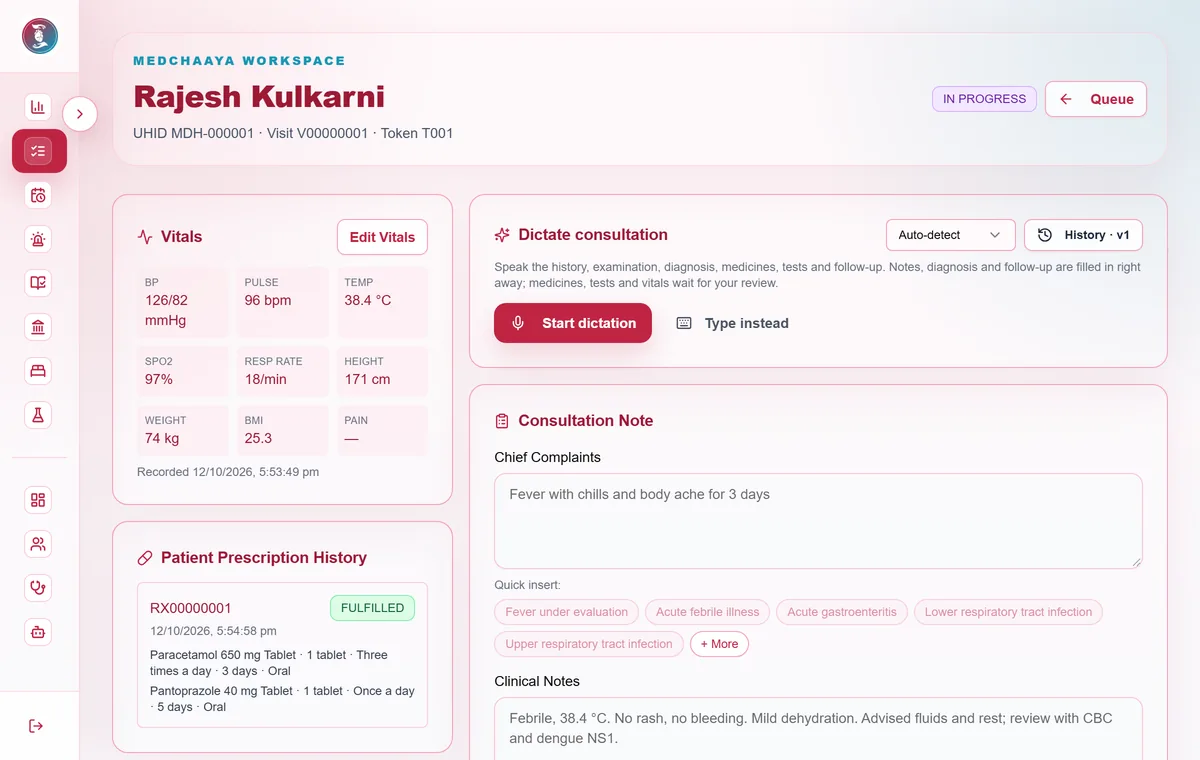
- Doctor workspace
Write the note, prescribe and order tests from one screen
- Vitals, complaints, diagnosis and follow-up in a versioned note
- Prescriptions and lab, radiology or procedure orders
- Note and prescription PDFs on the hospital's letterhead
- Voice dictation in English, Hindi, Gujarati and Marathi is rolling out
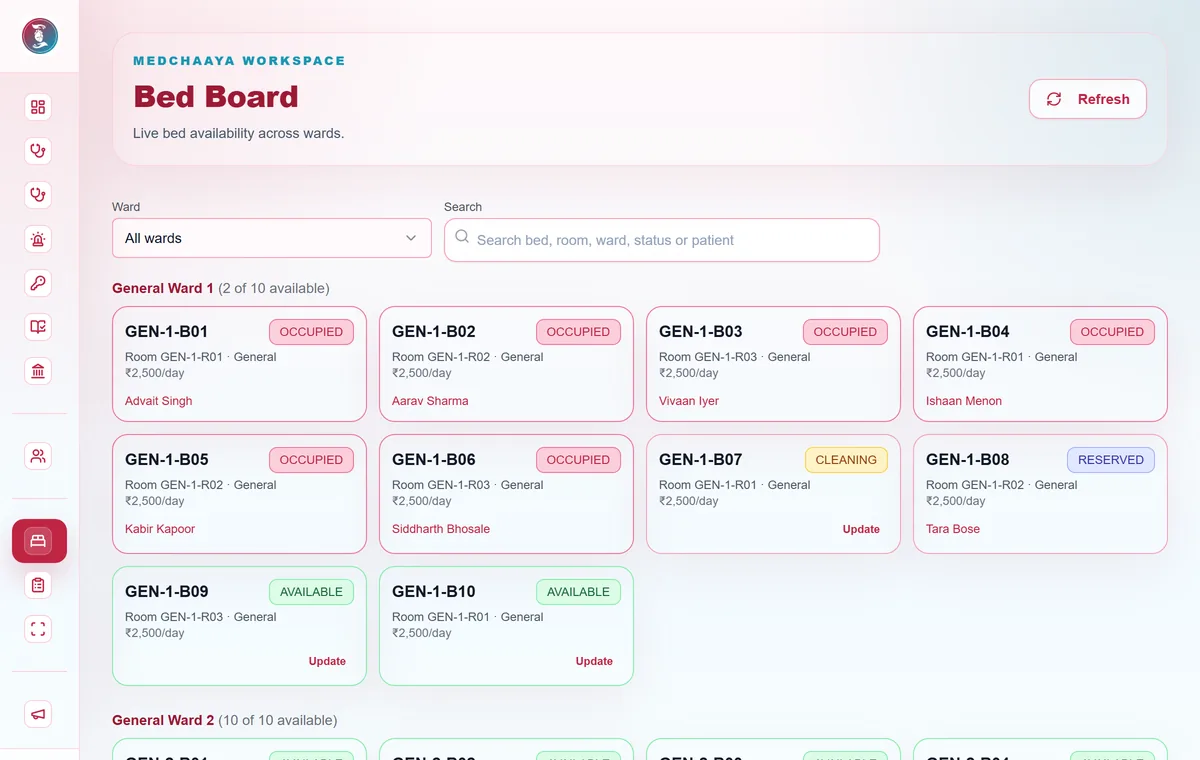
- Inpatient
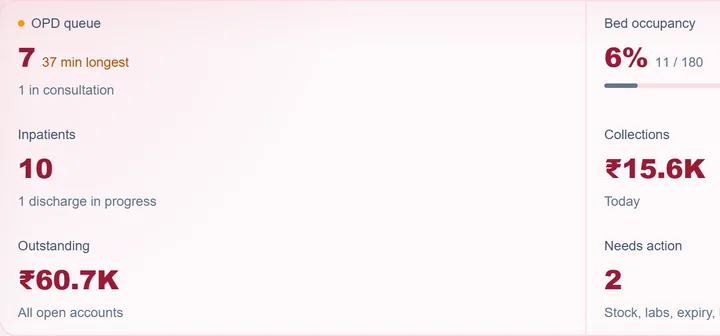
See every bed, and discharge only when everything is cleared
- A live bed board to reserve, allocate and transfer beds
- Ward vitals, nursing notes, doctor rounds and inpatient orders
- A clearance checklist across pharmacy, lab, radiology and billing
- Daily bed charges posted to billing automatically
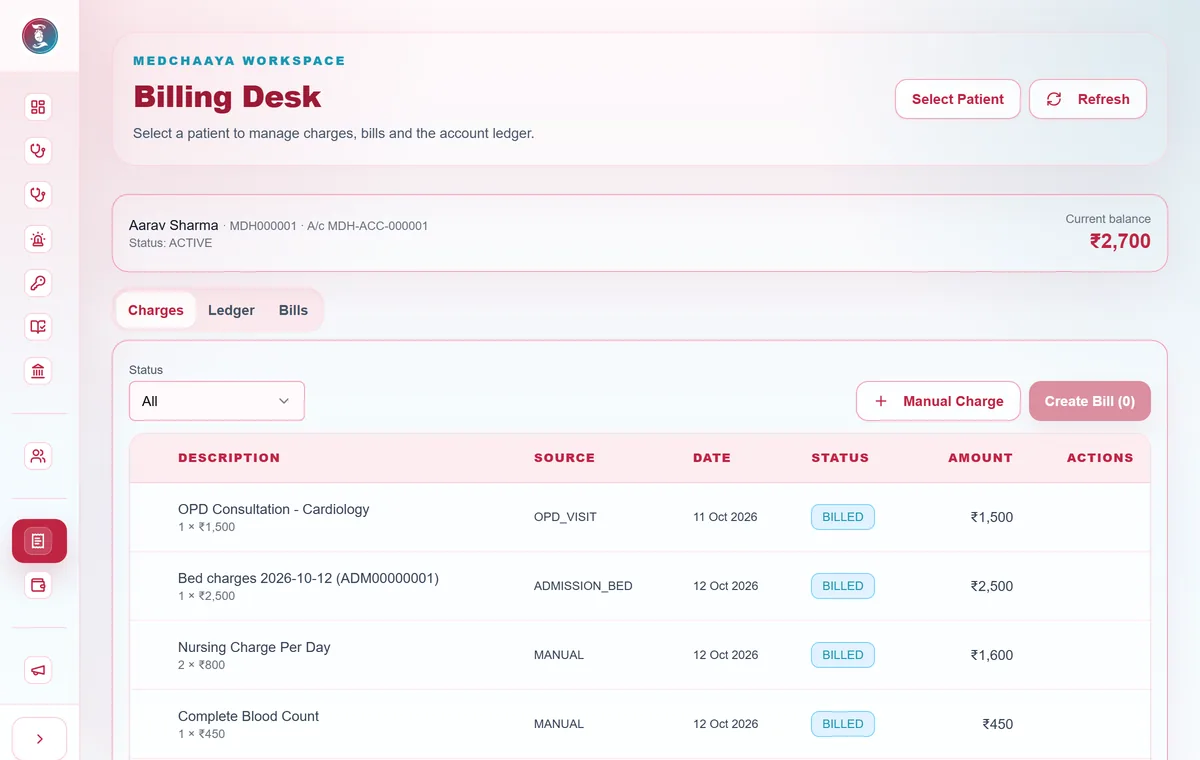
- Billing
Charges reach the bill where care happens
- Charges posted from OPD, diagnostics, pharmacy and bed stays
- Gap-free invoice and receipt numbers by financial year
- Voids, discounts and refunds approved by a second person
- Daily collection, outstanding and revenue reports
- Pharmacy and purchasing
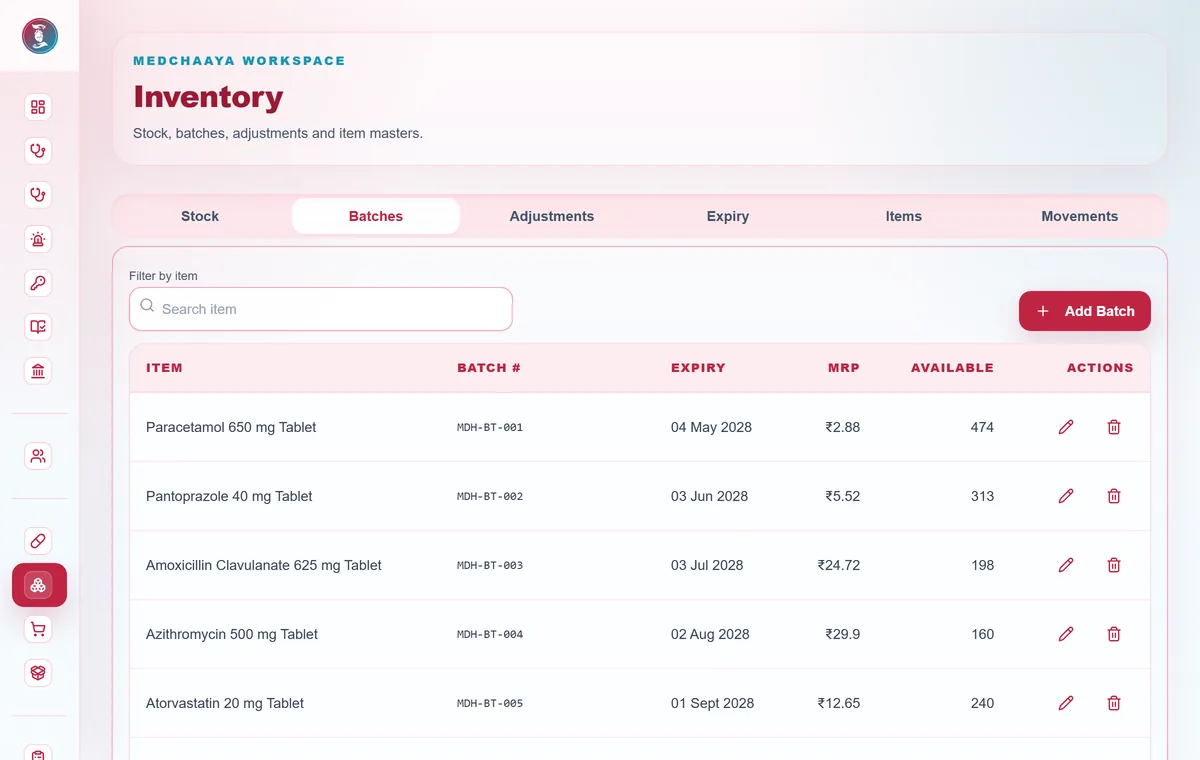
Dispense from the right batch, and know what is running low
- A prescription queue with full or partial dispensing
- Earliest-expiring batch first, with expiry reports
- A prescription line required for Schedule H, H1 and X drugs
- Purchase orders and goods receipts that create stock batches
- Diagnostics
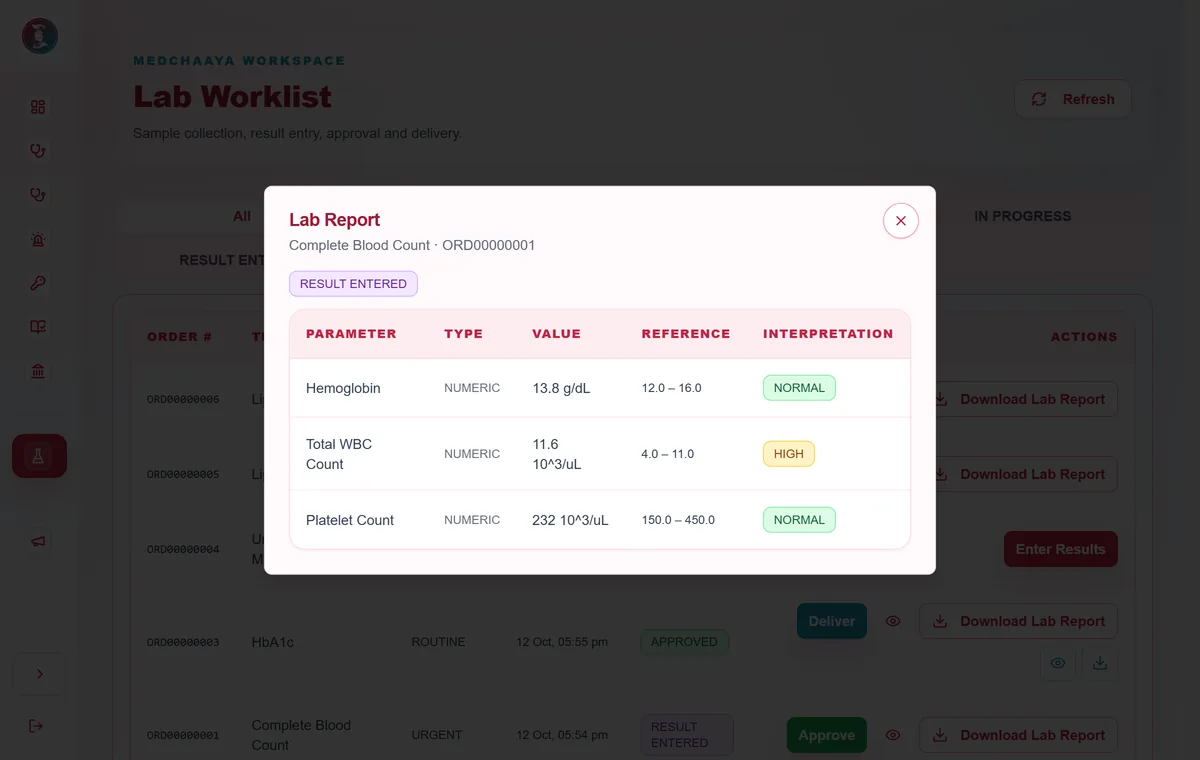
Approved reports, delivered to the doctor and the patient
- Test catalogue with age- and gender-specific reference ranges
- Results flagged normal, low, high or critical
- Pathologist and radiologist approval before delivery
- Reports on your letterhead, billed when delivered
- Tele-consultation
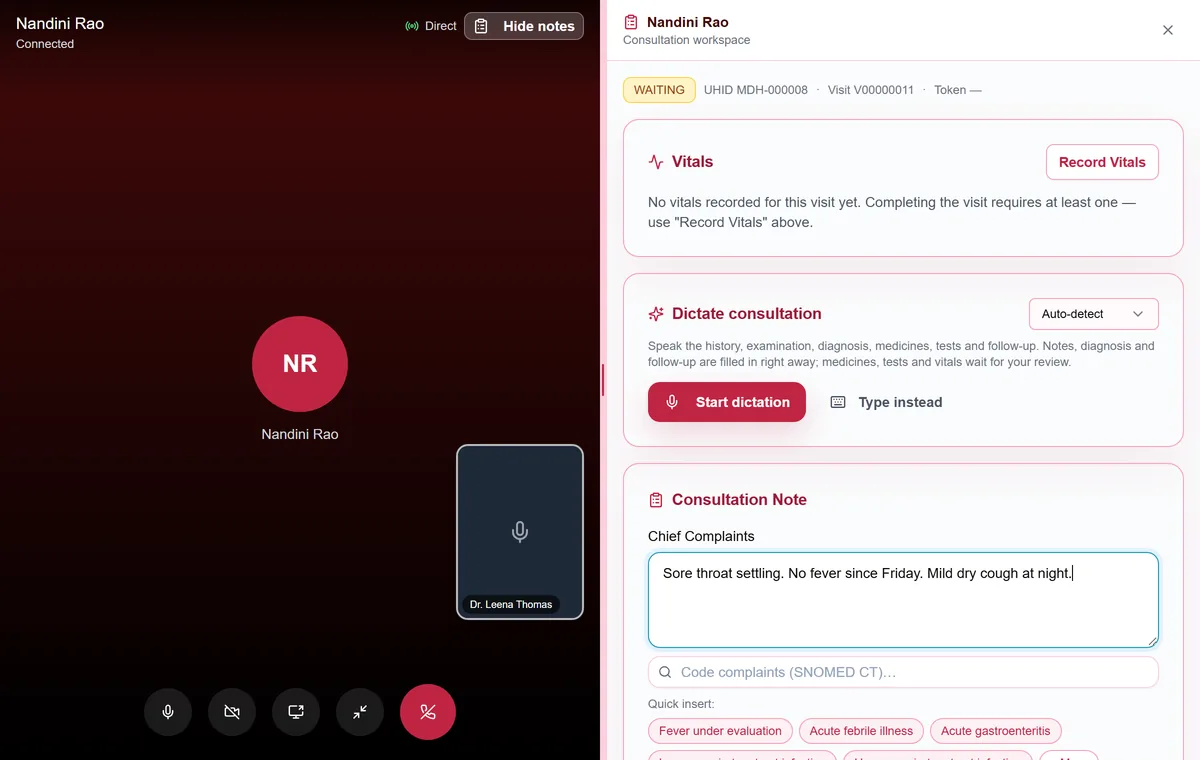
Follow up by video, with the chart beside the call
- The doctor starts the call and it rings on the patient's app and phone
- Patients send a call-back request instead of calling the doctor
- Falls back to audio on poor connections
- Peer-to-peer audio and video that is never recorded
- National health stack
Records that follow the patient, with their consent
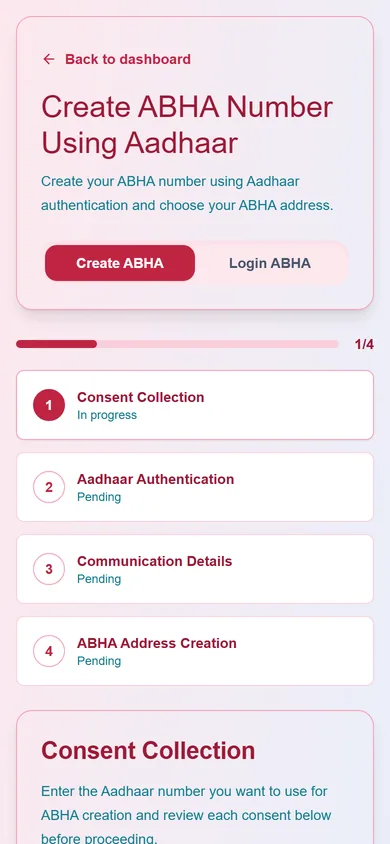
- ABHA creation and sign-in with Aadhaar OTP, mobile or ABHA address
- Visits, reports, discharge summaries and invoices shared after consent
- Consent requests for records held by other providers
- Scan & Share QR desks for reception, IPD and vaccination
- Governance
Licences, inspections and policies, before anything lapses
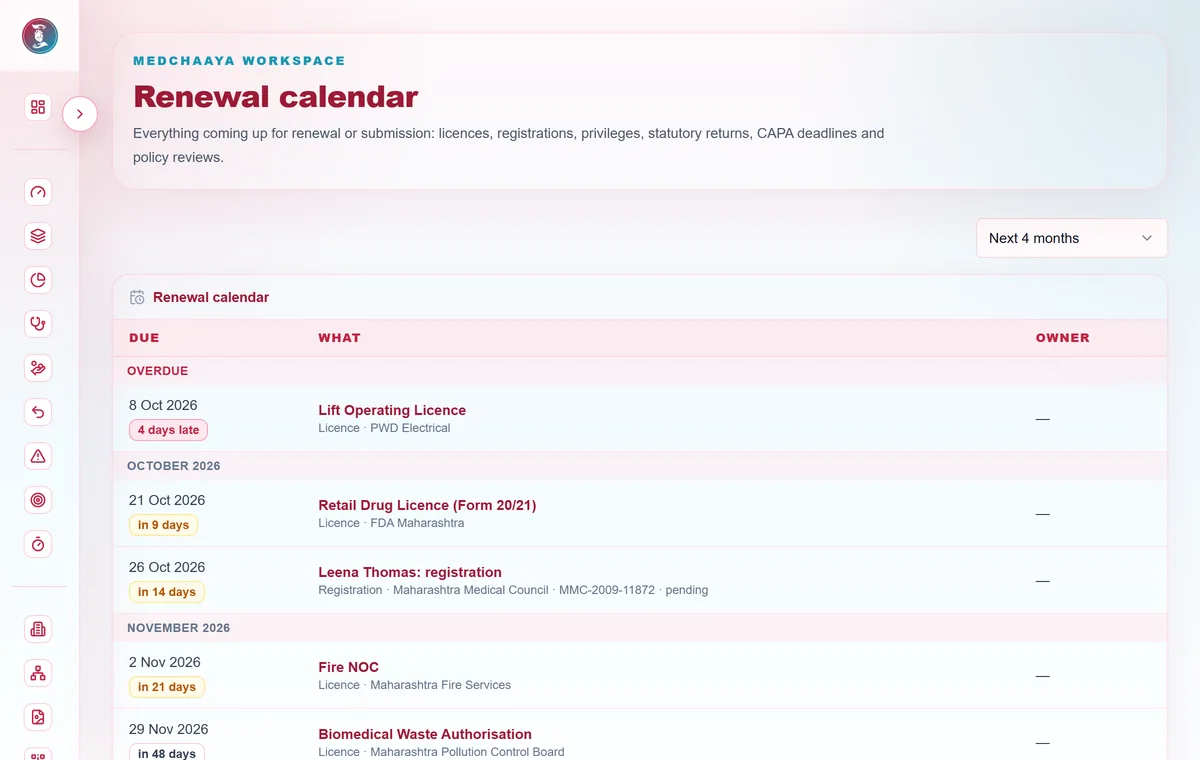
- Licences, registrations and clinical privileges on one renewal calendar
- Inspections with corrective actions, and statutory return schedules
- Versioned SOPs with read acknowledgements
- A field-level change log of configuration and access
Each hospital switches on only the modules it needs. Compare all 13 modules
One app, a workspace for every role
Everyone signs in to the same MedChaaya and sees only what their role, hospital and permissions allow.
Hospital admins
Set up branches, people and services, control access, and follow the day on the command board.
Learn moreDoctors
Open each patient with intake done, prescribe and order from one screen, and follow up by video.
Learn moreFront desk
Find or register patients without duplicates, book, check in and keep the queue moving.
Learn moreNurses and ward staff
Record vitals and nursing notes, manage beds and raise ward indents to the pharmacy.
Learn moreBilling, pharmacy and lab teams
Each desk gets its own queue and menu, following the permissions the hospital admin assigns.
Learn morePatients
Book visits, check in from the phone, see reports and bills, and decide who sees their records.
Learn more
One outpatient visit, from registration to the bill
Each team picks up where the last one left off, on the same record.
- 1
Register
Front desk
Find or register the patient. A UHID is issued and duplicates are flagged.
- 2
Book and check in
Patient or reception
Pick a slot, in person or by video, then get a token on arrival.
- 3
Consult
Doctor
Note, prescription and test orders, with vitals already recorded.
- 4
Tests and pharmacy
Lab and pharmacy
Results are approved before delivery; medicines are dispensed by batch.
- 5
Bill and record
Cashier
Charges are already on the bill. Reports and the invoice reach the patient.
Clear rules for who sees what
Patients control what they share, hospitals control who works on what, and sensitive actions are logged.
Patient-controlled sharing
Patients share specific documents, a date range or the whole record. Consent is recorded and can be revoked.
Hospital-level separation
Each hospital's records belong to that hospital, and every request is checked against it.
Role and permission checks
Every action passes a role, module and permission check. An explicit deny always wins.
Approvals for money
Voiding a charge, giving a discount and issuing a refund each need approval from a different person.
Audit trail
A system audit log records who did what, when and from where, with a per-patient trail and failed logins.
Private consultations
Video and audio go directly between doctor and patient and are never recorded. ABDM records are encrypted in transfer.
MedChaaya is hosted on Microsoft Azure, and its privacy policy follows the DPDP Act, 2023. MedChaaya does not claim third-party certifications such as ISO, SOC or HIPAA.
Questions, answered
Can't find what you need? Our team will walk you through it.
What is MedChaaya?
MedChaaya is a cloud hospital management system for hospitals and clinics in India. It covers registration, OPD, IPD, billing, pharmacy, purchasing, laboratory, radiology, immunization and compliance, and gives doctors and patients appointments, video consultations and a shared health record.
Which modules are available?
Thirteen: OPD, IPD, immunization, tele-consultation, laboratory, radiology, billing, pharmacy, supplier and purchasing, administration, compliance and governance, ABHA and ABDM, and optional AI assistance. Each hospital switches on only the modules it needs.
Can we start with only some modules?
Yes. OPD alone is a complete starting point. You can switch on IPD, billing, pharmacy and the others when you are ready.
How do we request a demo?
Send us a message using the form on this page, email info@medchaaya.com or call +91 95894 74572. Tell us which workflows matter most, such as OPD, wards, billing or tele-consultation, and we will walk you through them.
How is onboarding handled?
Your hospital is created with a main branch, starter departments, permission templates and a first admin login. A setup checklist then guides the admin through branches, schedules, beds, billing and diagnostics, and existing patient, doctor and staff lists can be imported from CSV or Excel.
Which integrations are available?
ABHA and ABDM, including consent-based FHIR R4 record exchange and Scan & Share. Sign-in works with a password, SMS or email OTP, Google or ABHA, and incoming video calls use web push notifications. An online payment gateway, insurance claim processing and WhatsApp messaging are not part of the platform today.
Do patients need an ABHA?
No. Patients can sign up with email, mobile or Google and add an ABHA later from their profile.
How does video consultation work, and is it recorded?
The doctor starts the call and the patient's devices ring. Patients cannot ring doctors; they send a call-back request instead. Audio and video travel directly between doctor and patient and never reach MedChaaya's servers. Nothing is recorded or transcribed.
Is my medical data safe, and who can see it?
Patients choose what to share and can revoke access. Staff and doctors see only what their role, hospital and permissions allow, each hospital's records are kept separate, and an audit log records who did what. MedChaaya is hosted on Microsoft Azure.
How is MedChaaya priced?
Hospitals subscribe to a plan and switch on only the modules they need. Contact us for plan options. Doctors and patients can create an account to see the current access options.
See MedChaaya with your own workflows
Tell us which workflows matter most, such as OPD, wards, billing or tele-consultation, and we will walk you through them.
- A walkthrough of the modules you choose
- Help planning setup and data import
- Answers on ABHA, ABDM and security
Prefer email? info@medchaaya.com or call +91 95894 74572