Find a patient by MedChaaya ID, username, email or mobile, or register a new one. A hospital-specific UHID is issued from a gap-free sequence.
Possible-duplicate warning on name, date of birth, gender and mobile
Walk-ins, booking, check-in and token issue
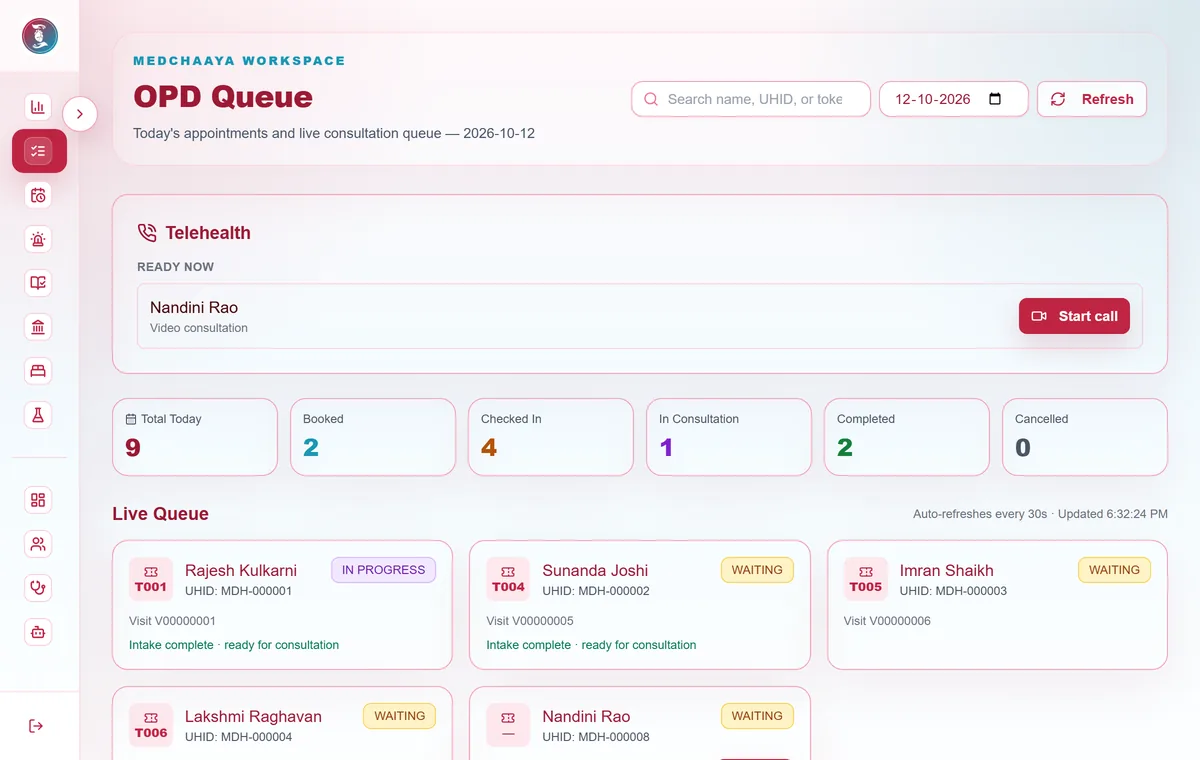
Live queue with priority patients and drag-to-reorder
Scan & Share QR for patients who arrive with ABHA
02
Outpatient (OPD)
Doctor schedules, appointments and a live queue, through to the consultation note, prescription and test orders.
A slot cannot be double-booked
Intake and vitals recorded before the doctor opens the visit
Visit cannot be completed without a saved note
Consultation charge posted to billing, with note and prescription PDFs
medchaaya.com/doctor/opd
03
Inpatient (IPD)
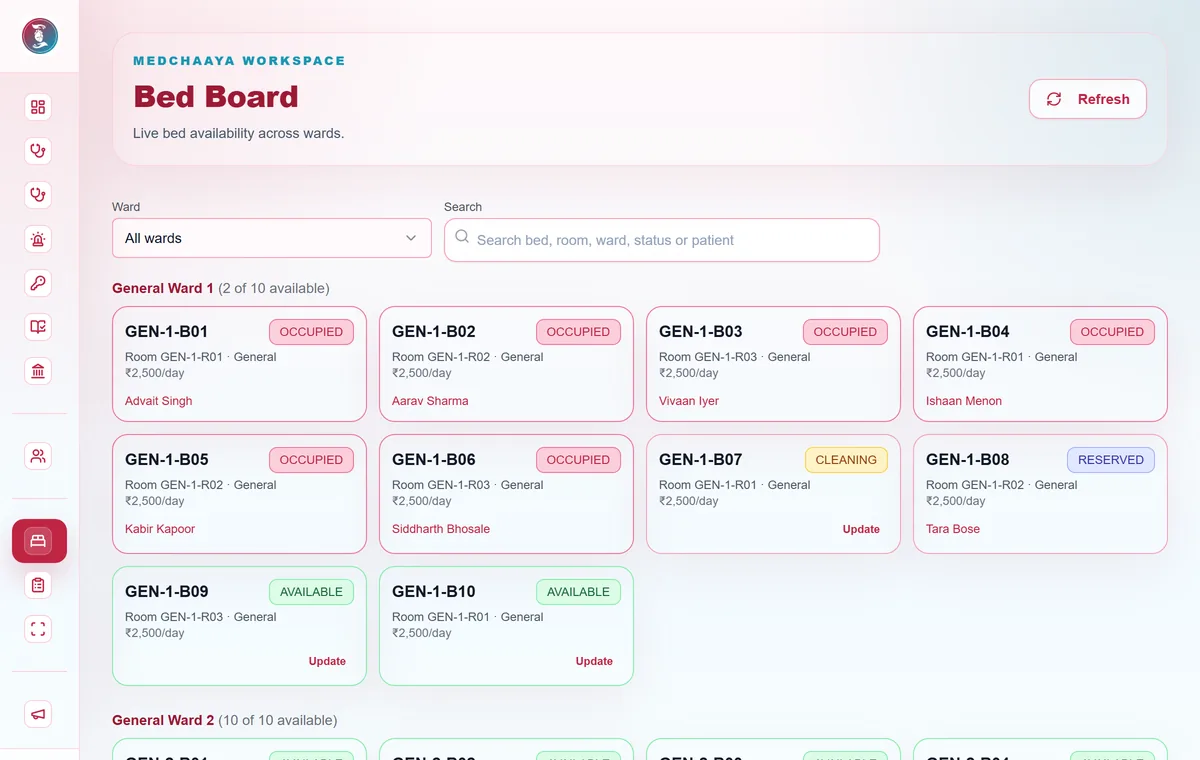
Admit from an OPD referral or directly, and manage the stay on a live bed board.
Bed categories, floors, wards, rooms and beds
Reserve, allocate and transfer beds, with daily bed charges posted to billing
Ward vitals, nursing notes, doctor rounds and inpatient orders
Discharge with a clearance checklist across pharmacy, lab, radiology, procedures and billing
medchaaya.com/staff/bed-board
04
Billing and finance
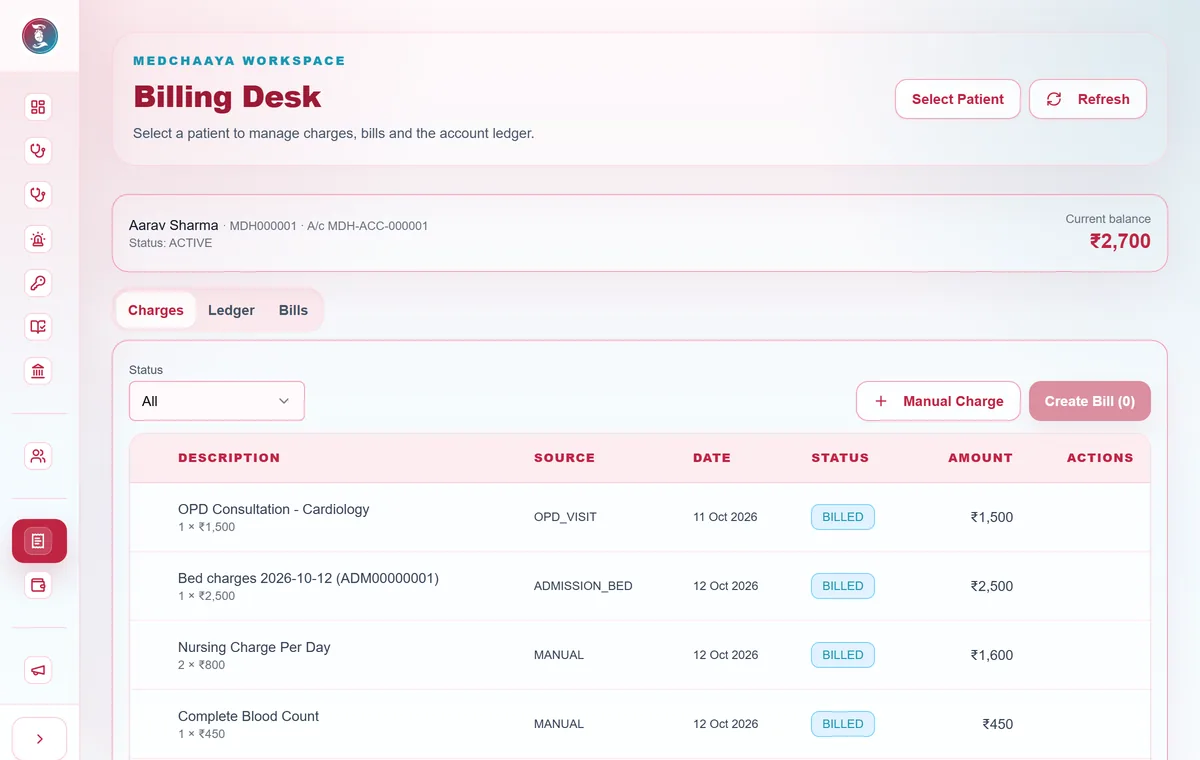
Charges arrive automatically from OPD, lab, radiology, pharmacy and bed stays, then become gap-free, financial-year-based invoices.
Cash, card and UPI payments recorded, with numbered receipts
Advances, discounts, refunds and a patient ledger
Voids, discounts and refunds need a second person to approve
Daily collection, outstanding, doctor and department revenue reports
medchaaya.com/staff/billing
05
Pharmacy and purchasing
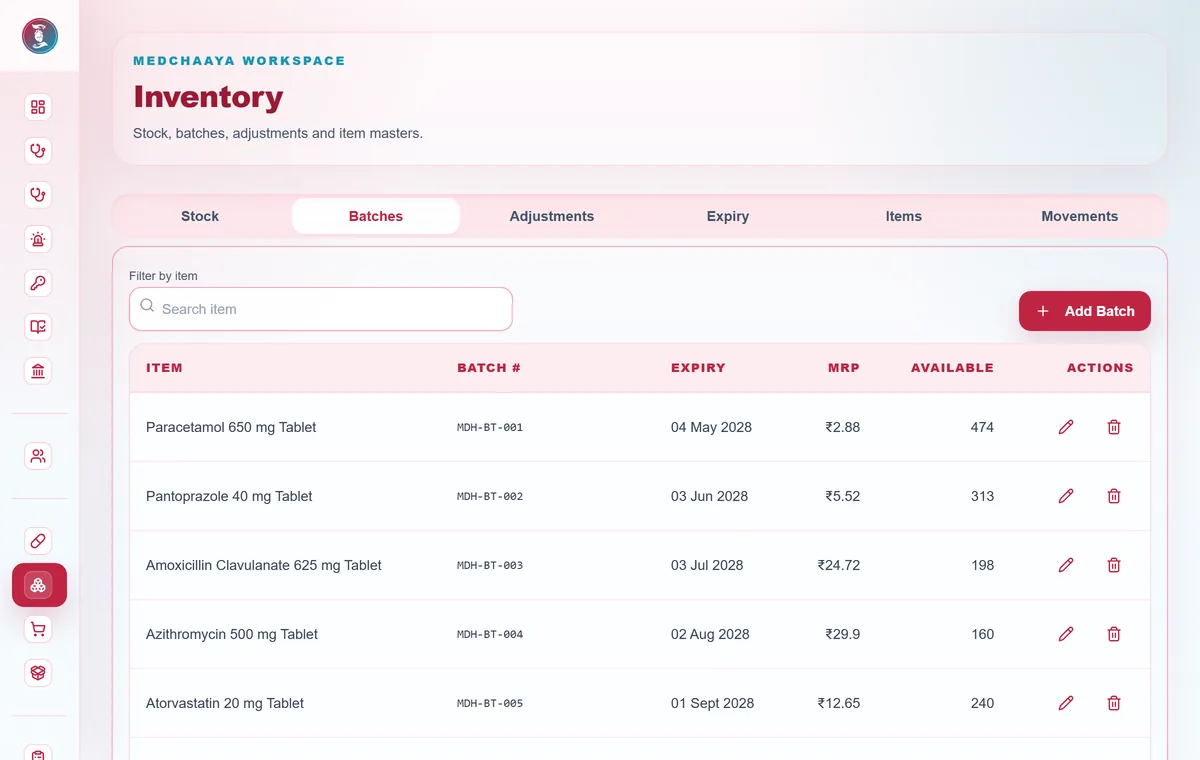
Dispense from a prescription queue and keep stock accurate by batch and expiry. Buy through an approval trail.
Earliest-expiring batch dispensed first
Schedule H, H1 and X drugs need a prescription line
Returns and ward indents in the same screen
Purchase request, order, goods receipt, supplier invoice, payment and returns
medchaaya.com/staff/inventory
06
Laboratory and radiology
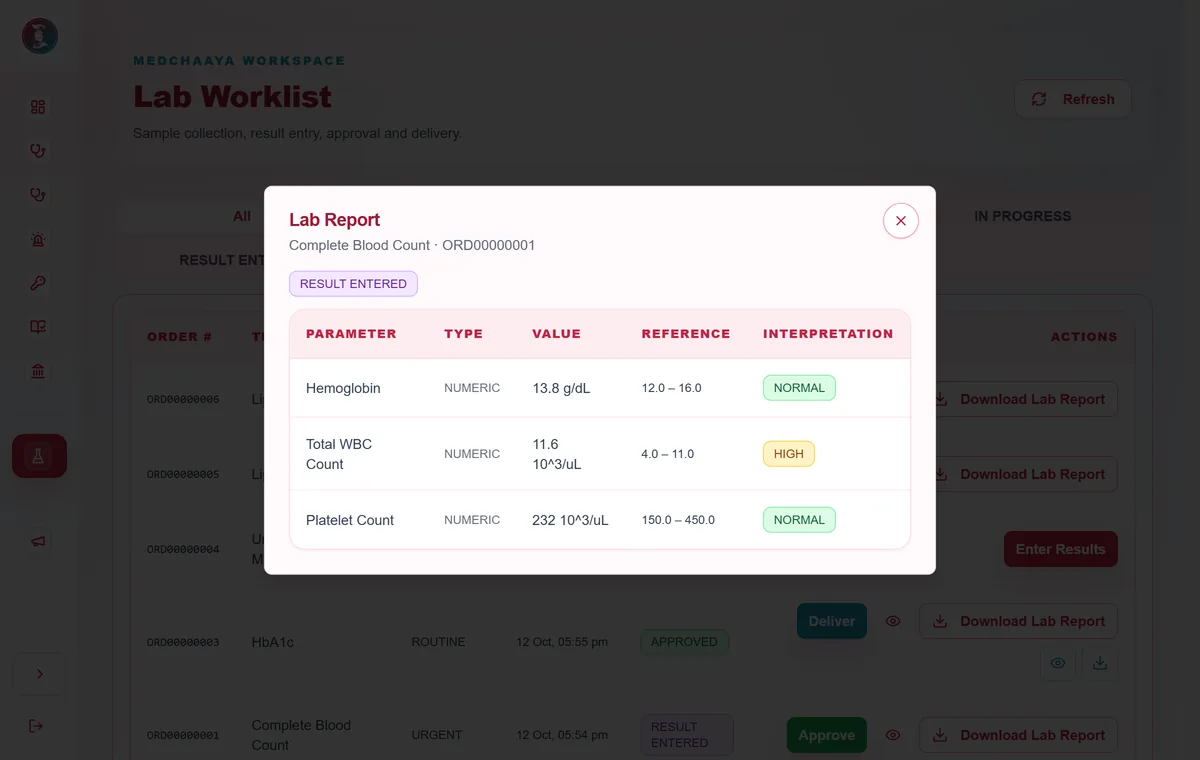
Orders from OPD and IPD flow to the lab and radiology desks, and approved reports flow back to the doctor and patient.
Test catalogue with parameters and age and gender reference ranges
Normal, low, high and critical flags
Pathologist and radiologist approval before delivery
Reports on your hospital letterhead
medchaaya.com/staff/lab
07
Immunization and wellness
A vaccination desk that follows the Indian National Immunization Schedule, with wellness records alongside OPD.
Screening, administration and observation
Adverse-reaction tracking, with an alert to hospital admins for severe reactions
Next-dose scheduling and vaccination certificates
Lifestyle, sleep, steps and women's health records
08
Command board and reports
The hospital admin sees live operations on one board and period reports with date, branch, department and doctor filters.
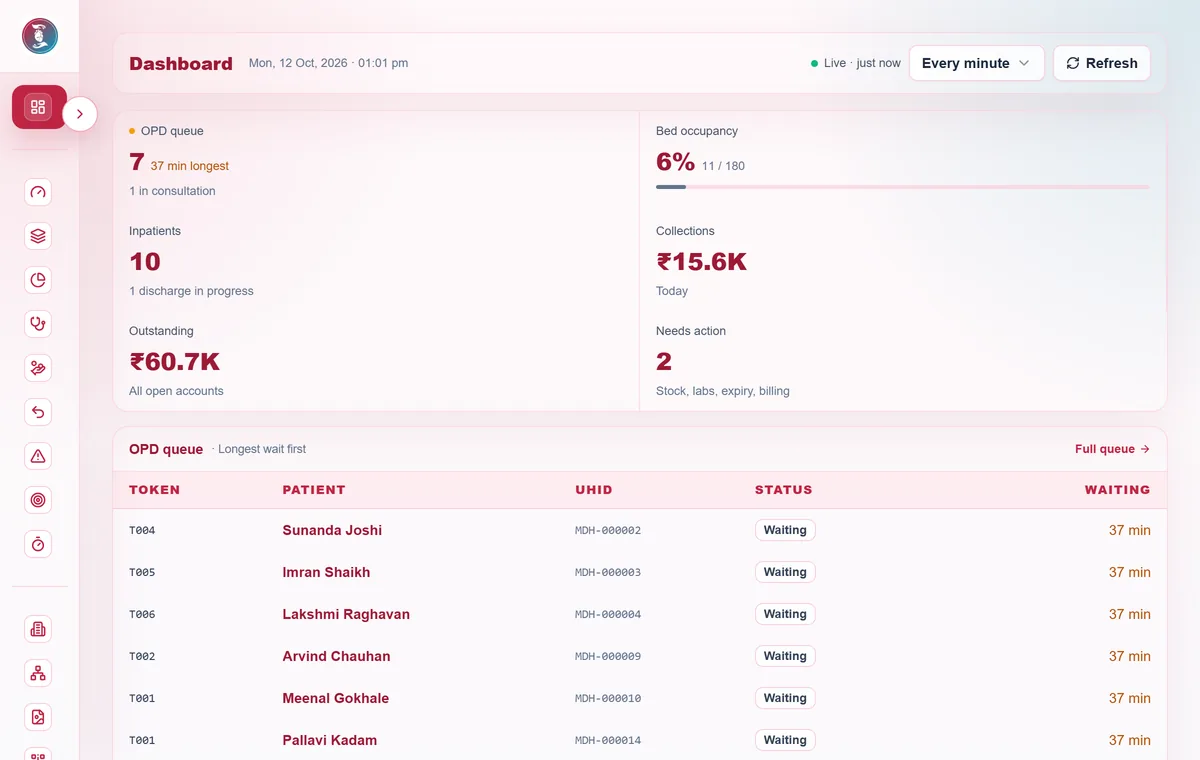
OPD queue and longest wait, bed occupancy, inpatients and collections
An action queue for stock, labs, expiry and billing
Revenue trend, payment-mode mix and diagnostics turnaround
Pharmacy risk and the purchasing pipeline
09
Branches, roles and permissions
Set up branches and departments once, then give each person only the access their job needs.
Permission groups with ready-made templates for front desk, ward nurse, cashier, pharmacy, lab, radiology, purchasing and immunization
Per-user overrides, and an explicit deny always wins
Doctors and staff at several hospitals switch between them from the header
An approval matrix, and staff requests for extra access that an admin approves
10
Compliance and governance
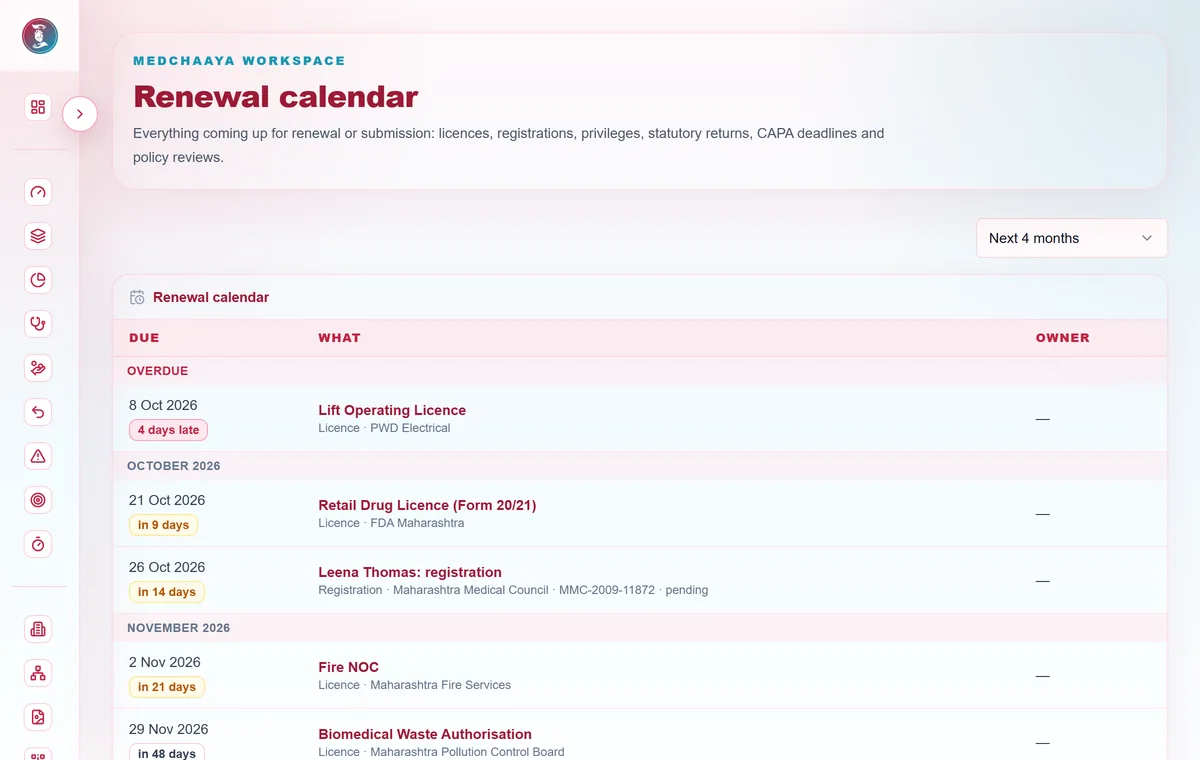
Keep licences, registrations, inspections and policies current instead of tracking them in spreadsheets.
Facility licences and approvals, with certificates and renewal owners
Professional registrations and clinical privileges; lapsed credentials block clinical actions
Inspections and accreditation assessments with corrective actions (CAPA), and statutory return schedules
Versioned SOPs with read acknowledgements, a renewal calendar and a field-level change log
medchaaya.com/hospital-admin/compliance/calendar
11
Committees and emergency codes
Run statutory committees and hospital emergency codes from the same system.
NABH and statutory committees with membership, meetings, quorum, minutes and follow-up actions
Call an emergency code; responders get a full-screen alert on any open MedChaaya page
Mock drills with a debrief, and an audit of how quickly each code was answered
12
Bring your hospital live
A guided checklist takes the hospital admin from an empty hospital to a working one.
A main branch, nine starter departments and permission templates are created for you
Branding for the portal and printed letterhead
Import doctors, staff and patients from CSV or Excel, with progress and an errors file
Print Scan & Share QR codes and post announcements
Common questions
Can we start with only some modules?
Yes. OPD alone is a complete starting point. You can switch on IPD, billing, pharmacy and the others when you are ready.
Do you support more than one branch or hospital?
Yes. Hospitals have branches and departments. Doctors and staff who work at several hospitals switch between them from the header, and each switch loads that hospital's own data and permissions.
How is onboarding handled?
Your hospital is created with a main branch, starter departments, permission templates and a first admin login. A setup checklist then guides the admin through branches, schedules, beds, billing and diagnostics, and existing patient, doctor and staff lists can be imported from CSV or Excel.
How do hospital staff and doctors get access?
The hospital admin invites doctors, onboards staff and assigns permission groups, one at a time or by bulk import. Doctors can also sign up themselves, and patients sign up or are registered by the front desk.
Can we import our existing patient, doctor and staff lists?
Yes. Import them from CSV or Excel. MedChaaya shows progress, gives you an errors file for rows it could not import, and lets you choose whether duplicates are skipped, replaced or kept.
How is MedChaaya priced?
Hospitals subscribe to a plan and switch on only the modules they need. Contact us for plan options. Doctors and patients can create an account to see the current access options.