
Skip to content

Keep your medical history ready before the appointment starts

Book visits, keep your records and share them only with doctors you choose.
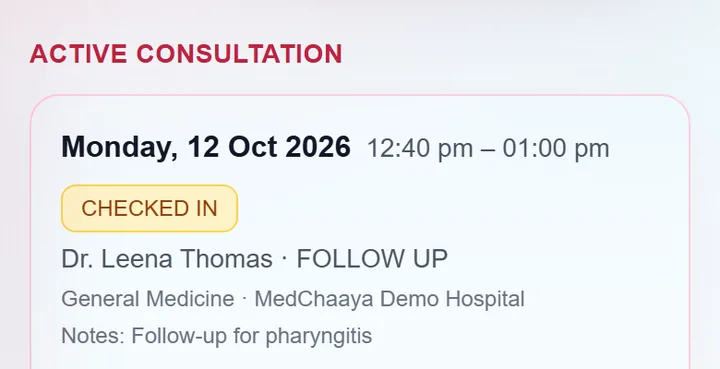
The MedChaaya patient app showing appointments, prescriptions and reports

In short

  • Book visits and video consults
  • Reports, bills and prescriptions in one place
  • You decide who sees your records
01

Book and check in

Book without calling the hospital, and skip the paperwork on the day.

  • Pick a doctor, date and slot, in person or by video
  • Reschedule or cancel
  • Check in and enter your vitals from your phone
02

Your visits and prescriptions

Every outpatient visit and prescription is in your record, so you do not have to carry paper.

  • OPD visits and prescriptions
  • Admission and discharge summaries
  • Immunizations and wellness records
03

Reports and bills

See lab and radiology reports once they are approved, and see what you owe.

  • Lab and radiology reports
  • Bills with a ledger of charges and payments
  • Reports on the hospital's own letterhead
04

Video consultation

See your doctor by video from your phone.
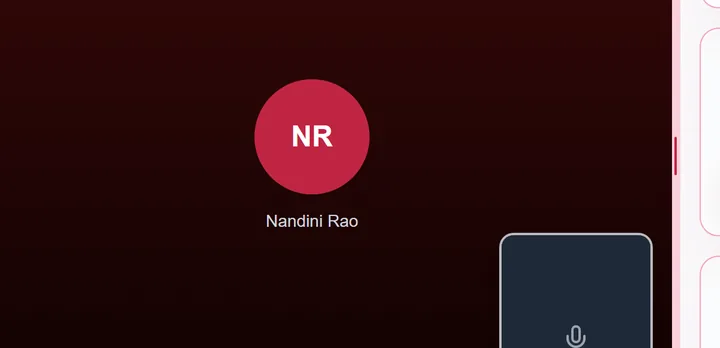
  • Request a call-back, and your doctor calls you
  • Accept with video, accept audio-only or decline
  • Missed calls leave you a notification
  • Nothing is recorded or transcribed
A MedChaaya video consultation in progress with the patient's chart open beside the call
05

Your document vault

Keep your own reports and prescriptions together, whichever hospital they came from.

  • Upload PDFs, JPGs and PNGs, or take a photo with your camera
  • An optional AI summary of each document
  • Ask questions about a document or your whole record
06

Your ABHA

Use your ABHA to log in, and carry your records with you, only with your consent.
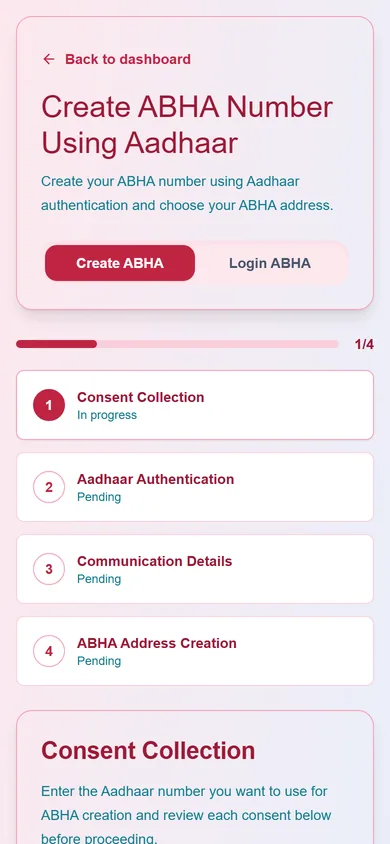
  • Create or link an ABHA in a guided wizard
  • View and download your ABHA card
  • Share records with a hospital after you consent
MedChaaya patient app creating an ABHA number with Aadhaar: consent, Aadhaar authentication, communication details and ABHA address steps
07

Privacy and sharing

You decide who sees what.

  • Share specific documents, a date range or your whole record
  • Choose which doctors can see them
  • Consent is recorded and you can revoke access
08

Easy sign-in

Use whichever way you prefer.

  • Password
  • OTP by SMS or email
  • Google
  • ABHA

Common questions

Do patients need an ABHA?

No. Patients can sign up with email, mobile or Google and add an ABHA later from their profile.

How does video consultation work, and is it recorded?

The doctor starts the call and the patient's devices ring. Patients cannot ring doctors; they send a call-back request instead. Audio and video travel directly between doctor and patient and never reach MedChaaya's servers. Nothing is recorded or transcribed.

Is my medical data safe, and who can see it?

Patients choose what to share and can revoke access. Staff and doctors see only what their role, hospital and permissions allow, each hospital's records are kept separate, and an audit log records who did what. MedChaaya is hosted on Microsoft Azure.

What file types can I upload?

PDFs, JPGs and PNGs, or a photo taken with your phone camera.

What happens to my records, and what is not included today?

Medical records are retained for at least three years, and you can request deletion subject to retention laws; see the Privacy Policy. An online payment gateway, insurance claim processing, WhatsApp messaging, automatic reminders, a multi-language interface and offline mode are not part of the platform today.

Want to see it in action?

We'll show you MedChaaya with your own workflows.

Request a demo