Skip to content

Less searching, more context, better consultations

Your queue, notes, prescriptions and video calls in one place.

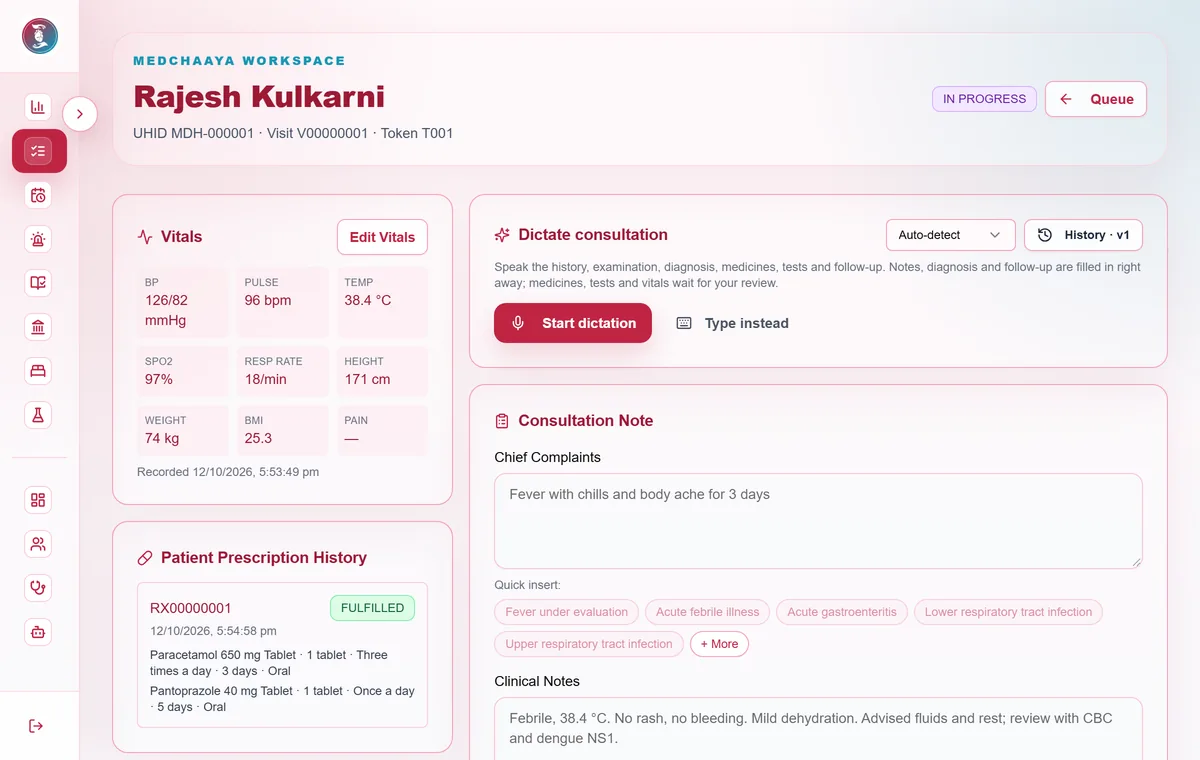
MedChaaya consultation screen: recorded vitals, dictation, the consultation note and the patient's prescription history

In short

  • See your whole day's queue at a glance
  • Write notes and prescriptions faster
  • Consult in person or by video
01

Your OPD queue

Open the next patient from a live queue where the front desk has already done the intake.

  • Token numbers and a ready-for-doctor flag
  • Priority patients carry a recorded reason
  • Dashboard of today's appointments, follow-ups, pending reports and slot use
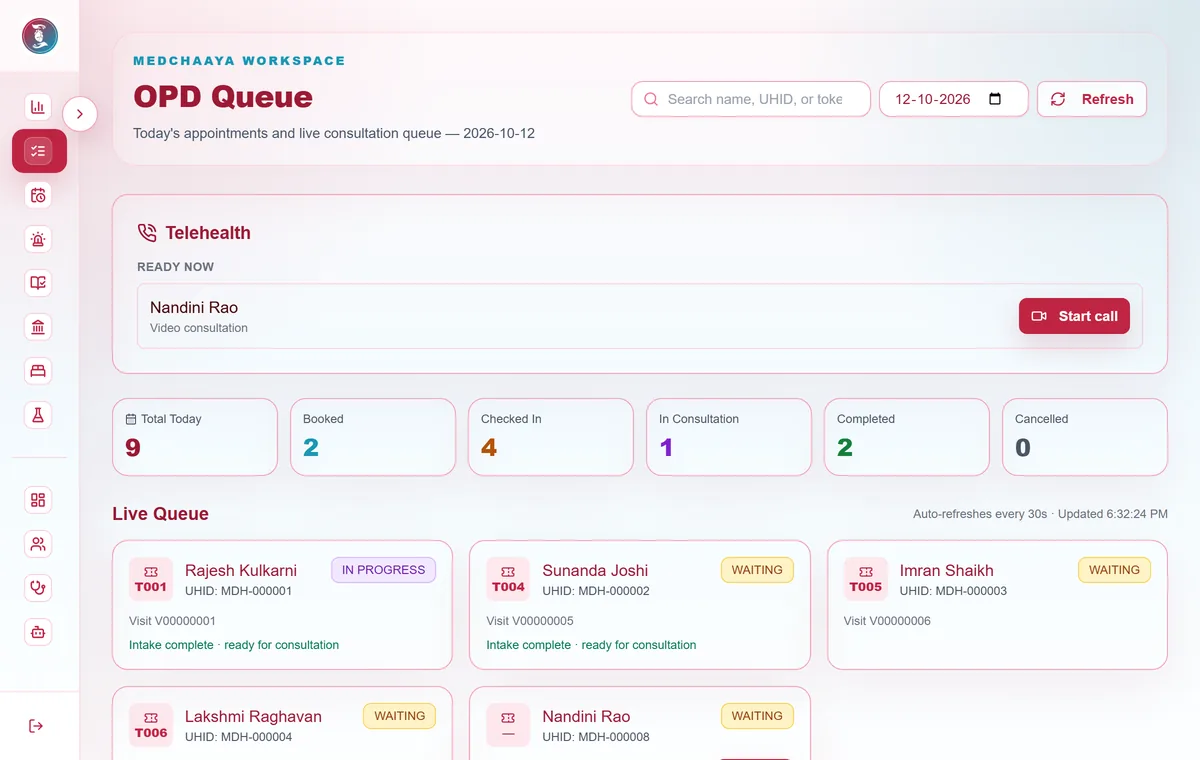
MedChaaya doctor OPD queue: a teleconsultation ready to start, today's counts by status, and live queue cards with tokens and intake status
02

Consultation workspace

Vitals, notes, prescription and orders on one screen, with every earlier version of a note kept.

  • Note, complaints, diagnosis and follow-up in one place
  • Voice dictation in English, Hindi, Gujarati and Marathi is rolling out, and dictated items wait for your review
  • SNOMED CT concept search and ICD-10 suggestions are rolling out
03

Prescribe and order

Build the prescription and order tests without leaving the consultation.

  • Prescription builder with note and prescription PDFs
  • Lab, radiology and procedure orders
  • Complete the visit, or refer to IPD
04

Inpatient rounds and discharge

Round on your admitted patients with ward data beside you.

  • Ward vitals and nursing notes
  • Inpatient orders
  • Write and approve the discharge summary, and recommend discharge
05

Video consultation

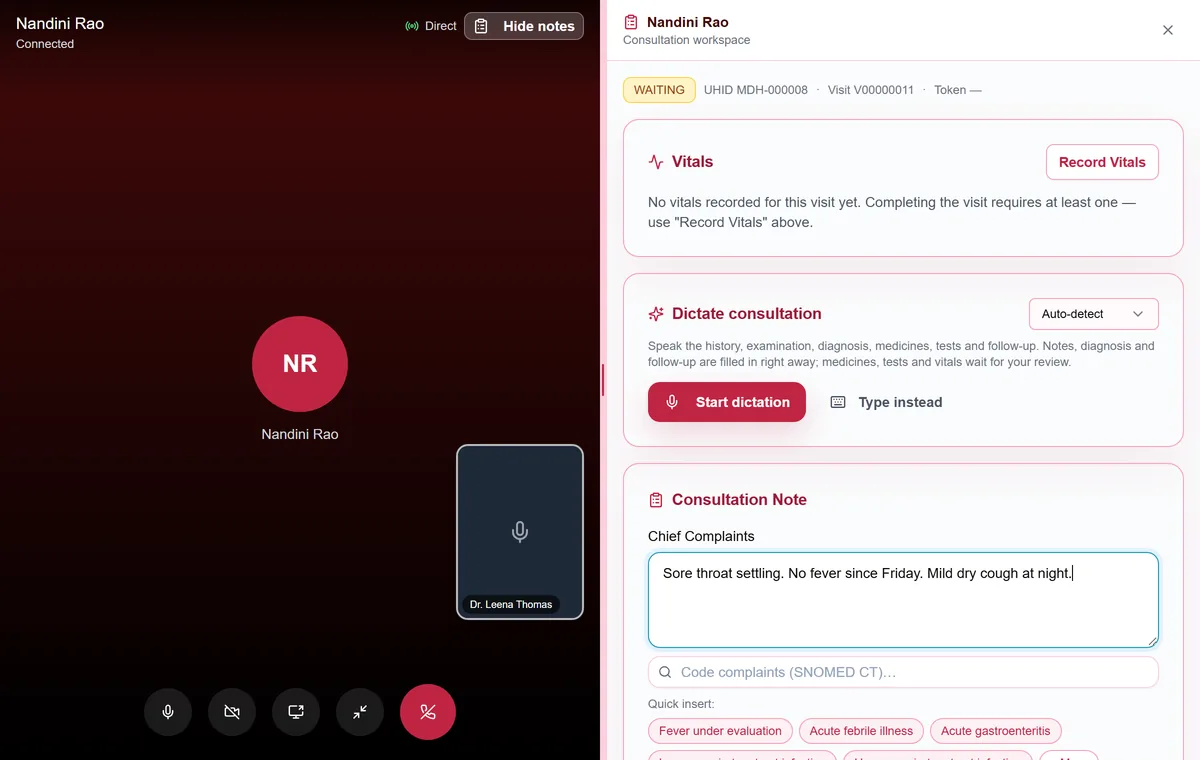
Start the call from the queue, a patient row or the consultation screen, and keep working beside the live video.

  • The patient's devices ring: open app, phone push and in-app alert
  • Accept a patient's call-back request to start the call
  • Nothing is recorded or transcribed, and the call is saved against the visit
MedChaaya video consultation in progress, with the consultation workspace open beside the call
06

Your own clinic

Register as a doctor and set up a personal clinic with its own front desk, queue and receptionist in one click.

  • Assign a receptionist
  • Set weekly hours and leave
  • Add video consultation, the AI assistant and voice dictation when you need them
07

Records, AI and Health Intelligence

Review what patients have shared and ask questions about it. AI is optional and enabled per hospital.

  • Ask questions about one document or a whole record
  • Health Intelligence: a 16-section longitudinal view that says so when a section has no evidence
  • AI does not diagnose or replace your judgment, and every output carries a disclaimer

Common questions

Can a doctor run their own clinic on MedChaaya?

Yes. A doctor can create a personal clinic with a receptionist, a weekly schedule and a queue, then add video consultation and the AI assistant when needed.

How does video consultation work, and is it recorded?

The doctor starts the call and the patient's devices ring. Patients cannot ring doctors; they send a call-back request instead. Audio and video travel directly between doctor and patient and never reach MedChaaya's servers. Nothing is recorded or transcribed.

Does the AI make clinical decisions?

No. AI is optional. It summarises and answers questions about records, every output carries a disclaimer, and nothing it produces is applied without the doctor's review.

Want to see it in action?

We'll show you MedChaaya with your own workflows.

Request a demo