


Run your clinicfrom the front desk to the follow-up
Set up your own clinic in one click. Your receptionist runs the desk and the token queue, you see each patient with vitals already recorded, and follow-ups and video visits are part of the same day.
Already a MedChaaya doctor? Log in
Everything a clinic needs, on the platform hospitals trust
- Your own clinic in one click
- A front desk for your receptionist
- ABHA and ABDM consent requests
- Video consultations
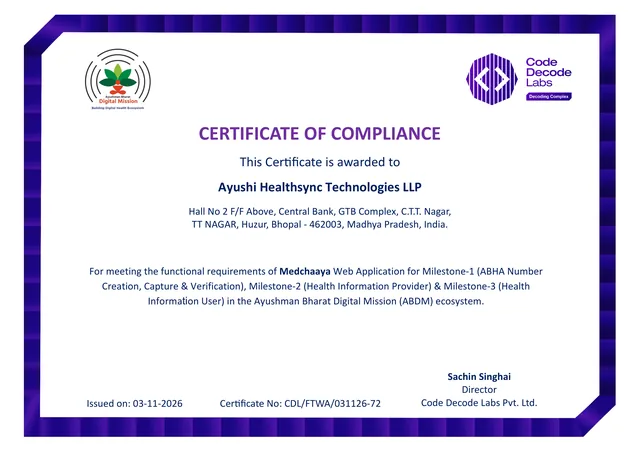
- Security audited: Safe to Host
- Your patients get the MedChaaya app
Your desk, your consultations,one clinic app
The platform hospitals run on, sized for one doctor and a receptionist. Every patient's visits, notes and prescriptions on one record.
- Front desk
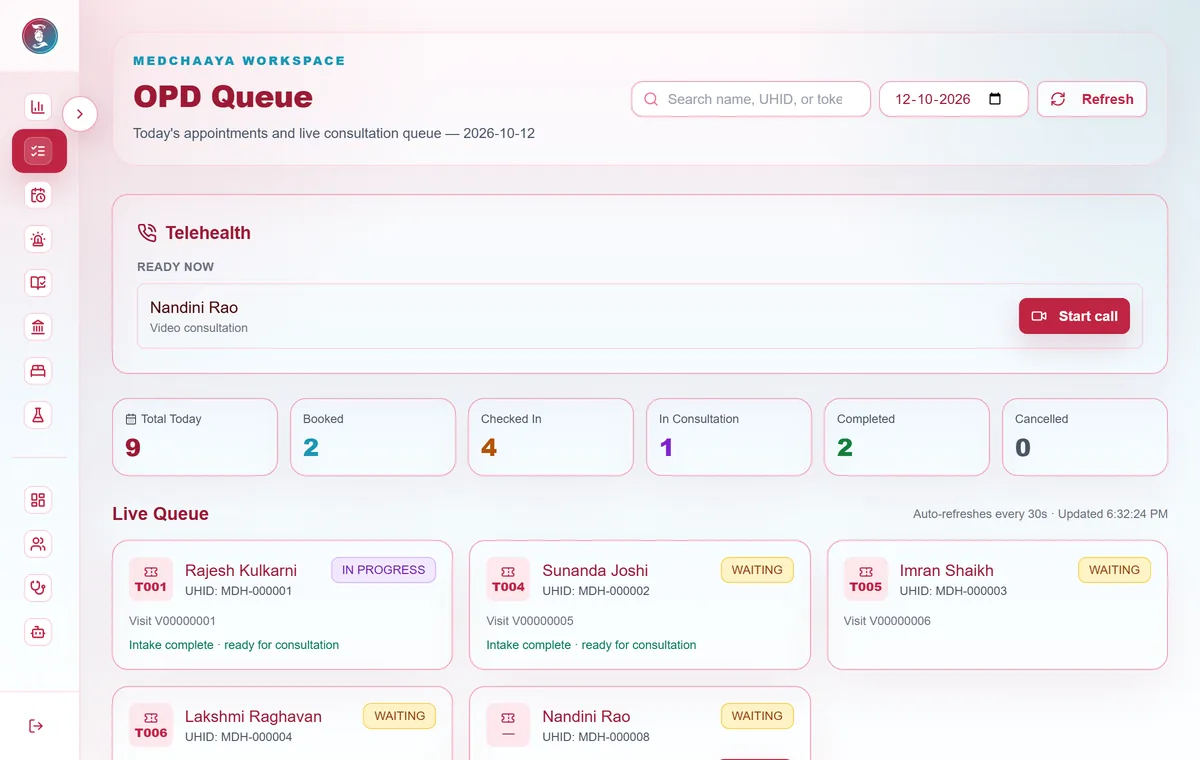
Front desk and token queue
Your receptionist registers, books, adds walk-ins and runs the queue, with vitals done before you open the visit.
Explore the front desk - Consultation
Notes, prescriptions and orders
History and vitals, consultation, prescription and orders in four steps, with templates and medication warnings.
See the consultation - Tele-consultation
Video consultations
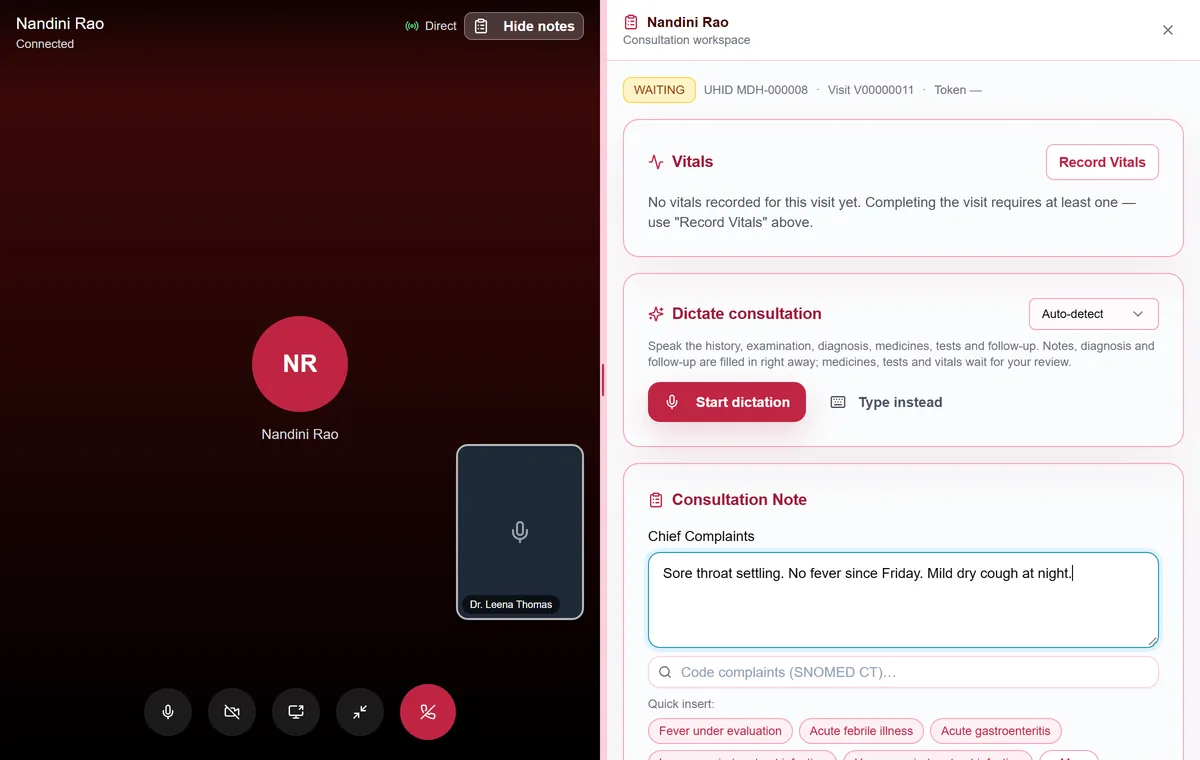
Start the call from the queue and the patient's phone rings. Your notes stay open beside the video.
How video visits work - Your hours
Schedule and follow-ups
Weekly hours, leave and extra sessions, and a follow-up worklist that shows who is overdue.
Schedule and follow-ups
- Front desk
- Walk-ins
- Token queue
- Vitals
- Consultation
- Prescriptions
- Orders
- Follow-ups
- Video visits
- Schedule
- ABHA
- AI assistant
Built for the way Indian clinics actually work
01 / 08
- 01Set up
Your own clinic, set up in one click
- Creates your clinic, its reception desk and your consulting schedule
- Your existing patients and documents stay exactly as they are
- A clinic workspace with live counts of who is waiting and who is ready
- Switch between your practice and the clinic workspace any time
Welcome, Dr. Neha Joshi
Your practice
Set up my clinic
Creates your clinic, its reception desk and your consulting schedule. Your existing patients and documents stay as they are.
Clinic workspace Reception desk Weekly consulting scheduleSet up in one click - 02Receptionist
A front desk your receptionist can run on their own
- Their own login and workspace, branded with your clinic's name
- Register, book, add walk-ins and check patients in
- Set your status: available, unavailable or on leave
- Mark patients ready for you once their intake is done
Front desk · Dr. Neha Joshi
Reception
Doctor isAvailableUnavailableOn leaveRegisterWalk-inBookQueueOPD queue
Drag to reorderT-09Sunita VermaVitals doneReady for doctorT-10Rahul DesaiPriority · elderlyMark readyT-11Ananya IyerWalk-inMark ready - 03OPD queue
A live token queue, with intake done before you open the visit
- Appointments and walk-ins, with no double-booked slots
- Drag to reorder, mark priority with a reason, or mark no-show
- Vitals, chief complaint and intake notes recorded at the desk
- Patients see their token and how many are ahead in their app
- 04Consultation
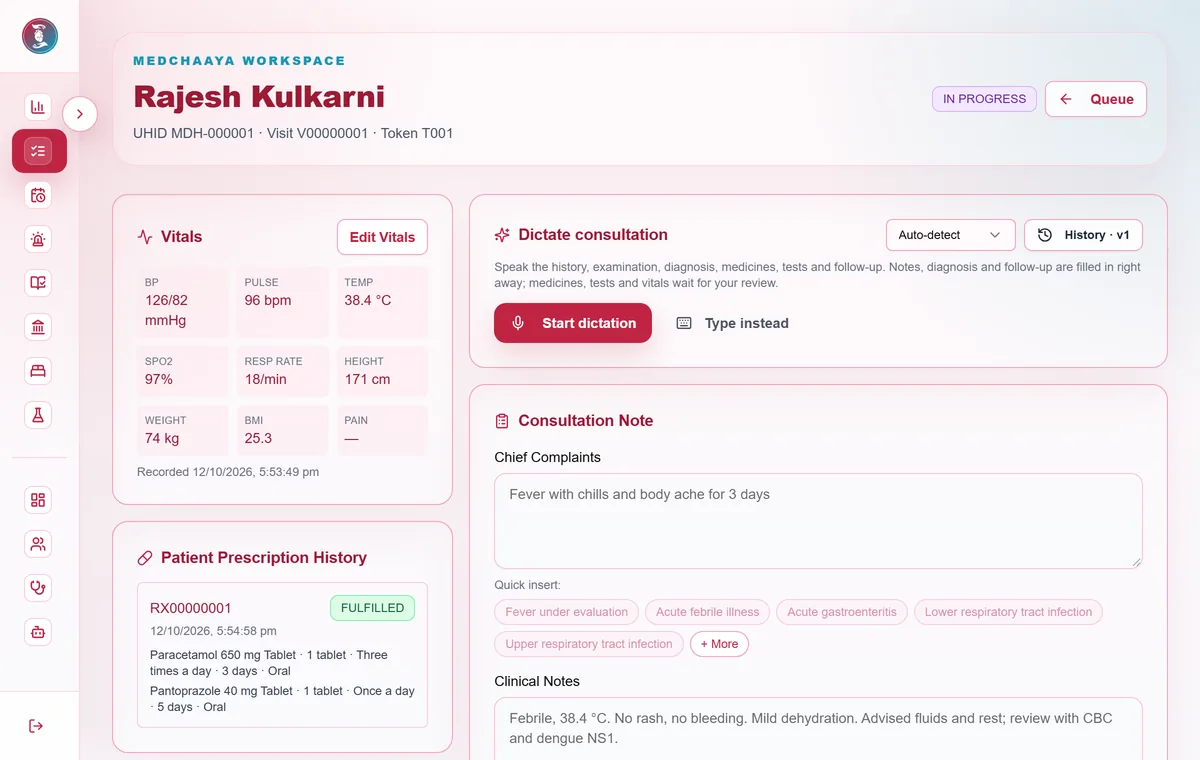
History, notes, prescription and orders in four steps
- History and vitals, consultation, prescription, orders
- Specialty and note templates, and quick-text suggestions
- A prescription builder with formulary lookup and medication warnings
- Set the follow-up date, mode, reason and tests in the same visit
- 05Your hours
Your weekly hours, leave and extra sessions
- Hours for each weekday, slot length from 5 to 120 minutes
- Up to 20 patients per slot
- Leave, part-day blocks and extra sessions
- See which bookings a change affects before you save it
Add exceptionMy schedule
Weekly consulting hours
Mon10:00 – 14:0017:00 – 20:0015 min · 1 per slotTue10:00 – 14:0017:00 – 20:0015 min · 1 per slotWed10:00 – 14:0015 min · 1 per slotThu10:00 – 14:0017:00 – 20:0015 min · 1 per slotFri10:00 – 14:0017:00 – 20:0015 min · 1 per slotSat10:00 – 13:0015 min · 1 per slotLeaveFri 12 Dec · full day
BlockTue 16 Dec · 17:00–18:00
Extra sessionSun 21 Dec · 10:00–12:00
- 06Follow-ups
Know who should come back, and who is overdue
- Awaiting confirmation, overdue, due soon, confirmed and closed
- The patient is reminded once you confirm a follow-up
- See how many times each patient has been reminded
- Set your own rule for when a follow-up counts as overdue
Follow-ups
Who should come back, and when
Awaiting confirmation 3Overdue 2Due soon 5Confirmed 11ClosedMIMohammed IqbalDiabetes review · HbA1c before visitDue 02 DecIn person · Reminded 2×KPKiran PatelBP recheckDue 28 NovVideo · Reminded 1× - 07Tele-consultation
Consult by video, with the chart beside the call
- Start the call from the queue and the patient's devices ring
- Accept call-back requests instead of taking phone calls
- The same consultation screen, open beside the video
- Video fees paid online, or collected at the desk with a receipt
- 08Optional AI
Ask questions about a patient's record, if you want AI
- Answers drawn from the patient's documents and record
- Summaries, key findings and medicines from uploaded documents
- Every output marked as AI, for your review
- Switched on per account; never makes decisions for you
Chaaya · AI assistant
Ask about Mohammed Iqbal's record
How has his HbA1c changed over the last year?HbA1c went from 8.4% (Jan) to 7.6% (Jun) and 7.1% (Oct), across three uploaded lab reports. Metformin was increased in March.
Sources: 3 lab reports, 2 prescriptions
AI output, for your review. It does not diagnose or replace your judgment.
Ask a question about this record…
Staff accounts, patient documents, ABHA and more. See every feature
From sign-up to your first patient
Open your clinic the same day. Your receptionist and your patients take it from there.
- 01
Register
You
Sign up as a doctor with your licence, council, qualifications and clinic address.
- 02
Set up the clinic
One click
"Set up my clinic" creates the clinic, its reception desk and your consulting schedule.
- 03
Add your team
You
Create a login for your receptionist or a nurse, and set your weekly hours.
- 04
Run the desk
Receptionist
Bookings, walk-ins, tokens and vitals, with patients marked ready for you.
- 05
Consult
You
Notes, prescription, orders and follow-up, in person or by video.
See your patients by video, without a second app
Video consultations run inside MedChaaya, with the patient's chart and your notes beside the call. Patients wait in a waiting room until you admit them.
- Start the call from the queue, a patient row or the consultation screen
- The patient's app, phone and browser ring; missed calls leave a notice
- Accept a call-back request instead of answering phone calls
- Audio and video travel directly between you and the patient and are not recorded by MedChaaya
- Video fees are paid online, or collected at your desk with a receipt
More than a queue and a prescription pad
The same platform hospitals run on, sized for one doctor and a receptionist. Some tools are optional and can be switched on when you need them.
Clinical AI assistant, if you want it
Ask questions about a patient's documents and record, get summaries, key findings and extracted medicines. Optional, and every answer is marked as AI.
Voice dictation
Dictate in Hindi, Gujarati or Marathi, with dictated items waiting for your review. Rolling out now.
ABHA and ABDM
Request a patient's records from other providers through ABDM, by ABHA address, record type and date range, once they consent.
Patient documents
Upload PDFs, JPGs and PNGs, or capture with the camera, and keep them against the patient's record.
Staff accounts
Create logins for a receptionist or a nurse/helper, with front-desk permissions applied for you. Deactivate them at any time.
Your patients get an app
Patients book, check in, see their token, join video visits and keep your prescriptions in the MedChaaya patient app.
Your clinic's records stay separate from every other clinic and hospital, staff see only what their role allows, and an audit log records who did what.

Questions, answered
What doctors ask before they open their clinic on MedChaaya.
Pick a question
 Chaaya AIOnline · answers in seconds
Can a doctor run their own clinic on MedChaaya?
- Can a doctor run their own clinic on MedChaaya?
- Yes. A doctor can create a personal clinic with a receptionist, a weekly schedule and a queue, then add video consultation and the AI assistant when needed.
- How do I set up my clinic?
- Register as a doctor with your licence number, specialisation, state medical council, qualifications and clinic address. Then click "Set up my clinic": MedChaaya creates your clinic, its reception desk and your consulting schedule. Your existing patients and documents stay as they are.
- Can my receptionist use it?
- Yes. Create a login for your receptionist (or a nurse or helper) and assign them as the clinic receptionist. They get their own front desk to register patients, book appointments, add walk-ins, check patients in with vitals and manage the token queue.
- What does it cost?
- Create your doctor account to see the current options for your clinic, or talk to us. Video consultations, the AI assistant and voice dictation can be added when you need them.
- How does the token queue work?
- Every checked-in patient gets a token. The desk can drag to reorder, mark priority with a reason, mark no-shows and mark a patient ready for you once vitals and the chief complaint are recorded. You see who is waiting, who is ready and who is in consultation.
- How do video consultations work?
- You start the call from the queue and the patient's devices ring; patients cannot ring you, they send a call-back request instead. The consultation screen stays open beside the call. The video fee is paid online when the patient books, or collected at your desk with a receipt.
- Does the AI make clinical decisions?
- No. AI is optional. It summarises and answers questions about records, every output carries a disclaimer, and nothing it produces is applied without the doctor's review.
- Is my medical data safe, and who can see it?
- Patients choose what to share and can revoke access. Staff and doctors see only what their role, hospital and permissions allow, each hospital's records are kept separate, and an audit log records who did what. With an on-premise deployment, patient records are stored on your own infrastructure.
Open your clinic on MedChaaya today
Register as a doctor, set up your clinic, and your receptionist can start booking patients the same day.
Running a hospital? See MedChaaya for hospitals
- 01Register as a doctorYour licence number, specialisation, state medical council, qualifications and clinic address.
- 02Click "Set up my clinic"Your clinic, its reception desk and your consulting schedule are created for you.
- 03Add your receptionist and hoursCreate their login, set your weekly hours, and start taking appointments.