
01
Patients book a video slot
Patients book video from your free slots and pay the fee online. If a booking is still unpaid, your desk can collect the fee and issue a receipt.
- Online payment through Razorpay
- Counter receipt at the desk
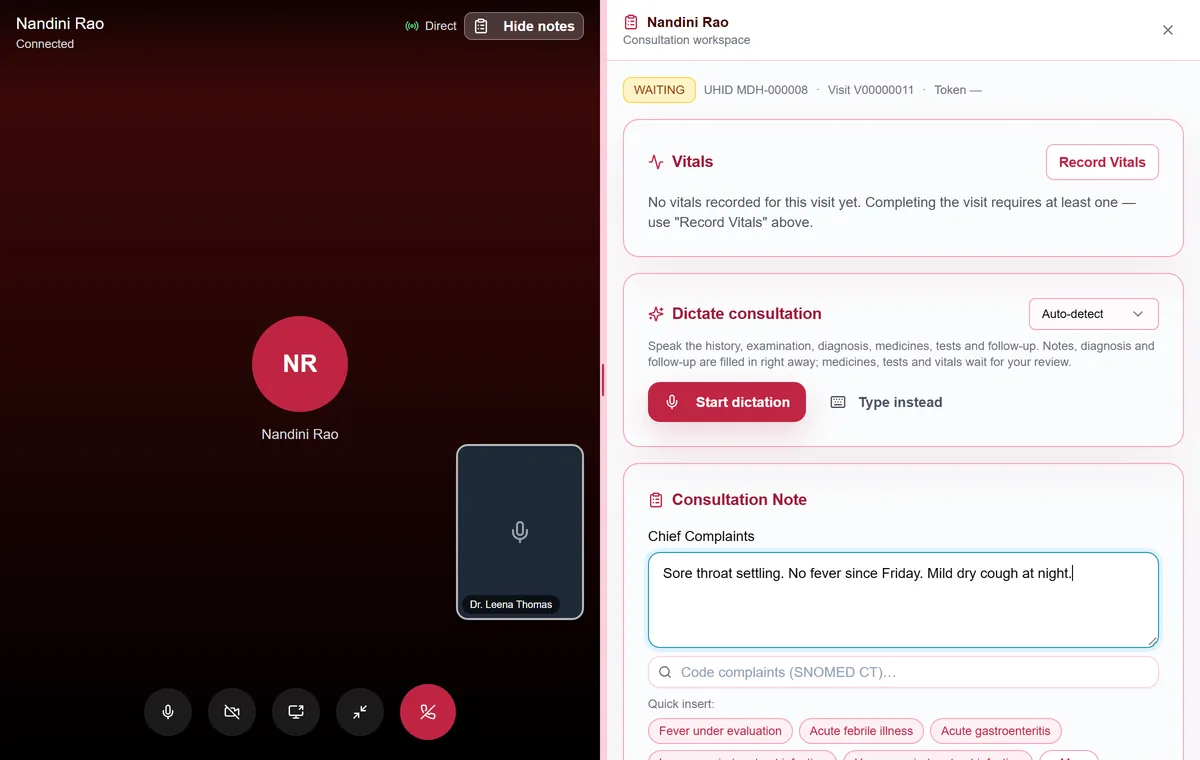
Video visits sit in the same queue as in-person ones. Start the call, the patient's phone rings, and the consultation screen stays open beside the video.
Patients book video from your free slots and pay the fee online. If a booking is still unpaid, your desk can collect the fee and issue a receipt.
Patients give consent, check their camera and microphone, and wait. They can see when they are next.
Video visits appear in your queue with a Call button. You can also start from a patient row or the consultation screen.
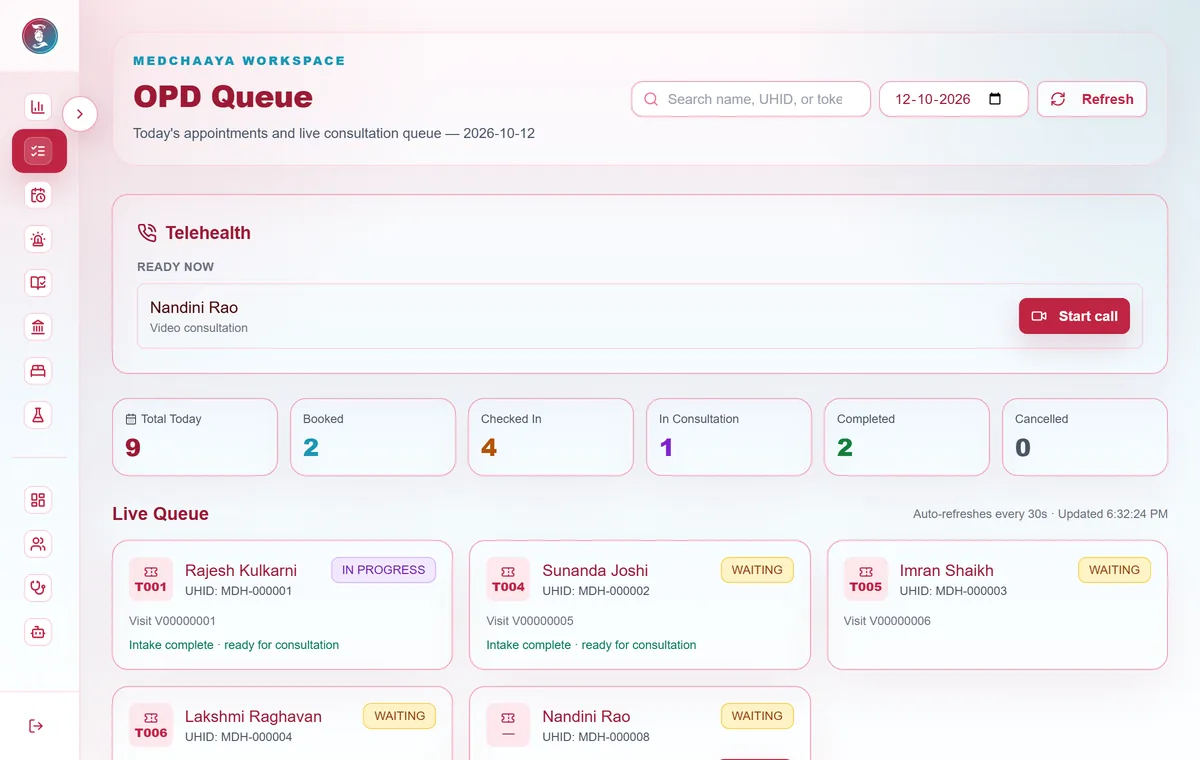
The call rings in the open app, as a phone notification and as an in-app alert. A missed call leaves the patient a notice.
Patients cannot ring you. They send a call-back request, and you accept it when you are free.
The same four-step consultation screen sits beside the call: history, note, prescription and orders.
Video visit notes are held as a draft until you approve them. Where AI is on, Chaaya then reads the approved notes and proposes follow-ups.
Audio and video travel directly between you and the patient and are not recorded by MedChaaya.
Video consultations need the tele-consultation module switched on for your clinic.
Your receptionist can book appointments from your schedule's open slots or add walk-ins. Patients can also book from the MedChaaya patient app, in person or by video, check in from their phone and see how many patients are ahead of them.
You start the call from the queue and the patient's devices ring; patients cannot ring you, they send a call-back request instead. The consultation screen stays open beside the call. The video fee is paid online when the patient books, or collected at your desk with a receipt.
Register as a doctor, set up your clinic in one click, and start seeing patients.
Start your clinic